
To create a NPart object, first the
corresponding Model object must be present (see The Model Object).
With the graphical user interface, this is done in several steps:
-
Make sure that the
Modelobject is selected. -
Select
Object->Create empty NPart.... This will create a new, emptyNPartobject, whose editor will be displayed.
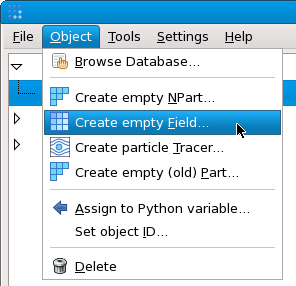
Using the Python environment, and assuming that the
Model object is referenced by the variable "m":
p = NPart(m)
At this point, nothing is extracted and displayed. When
-
the default
Sceneobject is present (by default, if otherwise not specified on the command-line whens starting baspl++), -
and the default
Sceneobject'sautomatic_addsetting is active (by default),
the newly created NPart object is automatically
added to the default Scene object. Thus, as soon as
the NPart object contains a mesh, it will be
displayed in the default Scene object.
